by Manjay Ray | Nov 9, 2026 | Divi
Deal status · updated 20 November 2026
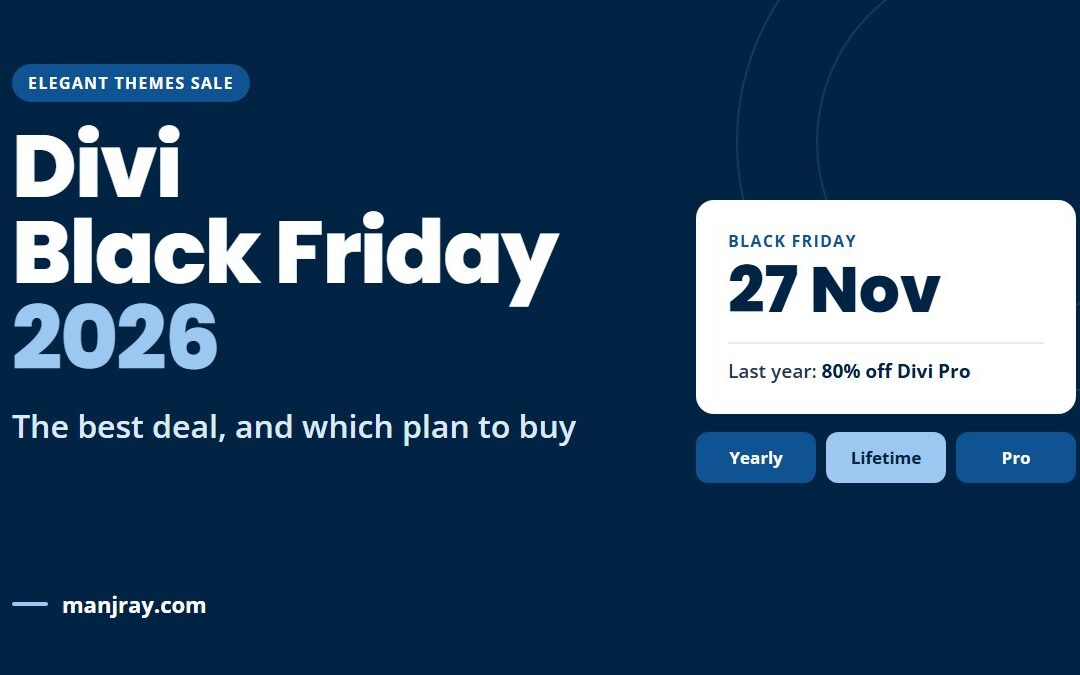
Confirmed: the Divi Black Friday 2026 sale starts Tuesday, 24 November at 7 a.m. PT. Elegant Themes is offering up to 80% off Divi Pro and Divi bundles, plus a free Divi Marketplace product with each qualifying purchase while supplies last. I’ll add the exact checkout prices the day the sale opens.
Check the Divi deal on Elegant Themes →
Every November, Elegant Themes runs its biggest sale of the year, and every November my inbox fills with the same question: “Should I wait for the Divi Black Friday deal, and which plan should I get?”
Quick answer: If you’re planning to buy Divi in the next month or two, wait for Black Friday. The sale opens on 24 November with up to 80% off Divi Pro and Divi bundles, plus free Marketplace gifts. For most people the best value is a Divi Lifetime plan (one payment, unlimited sites). Add Pro only if you’ll actually use Divi AI, Cloud and VIP support. If you need Divi today, buy now: there’s a 30-day money-back guarantee.
I’m a WordPress and Divi developer and build Divi sites for clients. Prices below were checked on Elegant Themes’ own pages in November 2026. I don’t repeat the “up to 90% off” guesses you’ll see on coupon sites.
Disclosure: this post contains affiliate links. If you buy through them you pay nothing extra, but I may earn a small commission.
When is the Divi Black Friday sale in 2026?
Elegant Themes has confirmed the start date on its blog:
- The sale starts Tuesday, 24 November 2026, at 7 a.m. PT. That’s 3 p.m. in the UK and 8:30 p.m. in India.
- It covers Black Friday (27 November) and Cyber Monday (30 November). Elegant Themes hasn’t published the exact end time yet.
- The free gifts are limited, so people who buy early get the widest choice.
Coupon sites are still guessing at “up to 90% off”. The figure Elegant Themes has confirmed is up to 80% off, so ignore anything bigger.
Divi Black Friday 2026 deal: what’s included
Here’s what Elegant Themes has confirmed so far:
- Up to 80% off Divi Pro and Divi bundles. Elegant Themes calls it its biggest Divi discount ever.
- A free Divi Marketplace product with each qualifying purchase, while supplies last. This year’s prizes include Divi Pixel, DiviFlash, Divi Supreme Pro, Divi Toolbox, Divi Form Builder, Divi Mega Menu Pro, Divi Overlays Popups, Divi Ajax Filter and an Accessibility Bundle.
- Up to nine gifts per person. Each different qualifying purchase earns its own gift.
- The Divi 5 Design System and extra Marketplace discounts with any purchase during the sale. Download the Design System before the sale ends.
- A free pre-sale giveaway: one iMac and 50 Divi AI memberships. No purchase is needed. You enter on Elegant Themes’ Black Friday page.
How the free gifts work
When the sale opens, the Black Friday page shows which gift is on offer right now. You get the gift that’s showing when you buy, so if you want a particular plugin, wait until it appears. Each of these counts once:
- A new Divi membership
- An upgrade to Divi Lifetime
- Divi AI, Divi Cloud and Divi VIP (one gift each)
- Your first purchase of Divi Teams seats
- Each Black Friday Marketplace bundle
Individual Marketplace products don’t earn a gift. My advice: don’t let the gifts push you into buying services you won’t use. A free plugin you never install isn’t a saving.
See the Divi Black Friday offer →
How it compares with last year (2025)
According to Elegant Themes’ own help center, the 2025 Black Friday sale included:
- 80% off Divi Pro and Divi Pro bundles
- A free Divi Marketplace product with every purchase
- For existing members: the option to repackage active subscriptions and lock the Black Friday discount in for future renewals
- The Divi 5 Design System (hundreds of presets and variables) for Black Friday buyers and lifetime customers
- 70% off exclusive Divi Marketplace bundles
So far 2026 looks very similar: the same top discount, free Marketplace gifts and the Design System. I’ll confirm whether members can repackage subscriptions again once the sale opens.
Divi prices right now (before Black Friday)
These are Elegant Themes’ regular prices in November 2026. Use them to judge how good the Black Friday deal really is when it arrives.
| Plan | Regular price | What you get |
|---|
| Divi (yearly) | $89/year | Divi theme and builder, Extra, Bloom, Monarch, unlimited sites, support |
| Divi Lifetime | $249 one-time | The same as Divi yearly, with updates and support for life |
| Divi AI (add-on) | $193/year | Unlimited AI text, images, code and layouts, plus the Divi 5 AI Agent ($5/month Agent balance) |
| Divi Pro (yearly) | $277/year | Divi plus Divi AI, Divi Cloud, Divi VIP support and Divi Teams |
| Divi Lifetime + Pro | $297 first payment, then $212/year | Divi for life, plus the Pro services for as long as you renew them |
One thing that surprises people: Divi AI, Cloud, VIP and Teams are never lifetime. Even on a lifetime plan, the Pro services renew every year. Only Divi itself is a one-time purchase.
Which Divi plan should you buy on Black Friday?
Divi yearly
- You have one site, or you’re trying Divi out
- You want the lowest upfront cost
- You’re not sure you’ll still use Divi in 3 years
Get Divi yearly →
Divi Lifetime (best for most)
- You’ll use Divi for more than 3 years
- You build sites for clients
- You want to stop paying every year
- You don’t need Divi AI, or you’ll use another AI tool
Get Divi Lifetime →
Divi Pro or Lifetime + Pro
- You’ll use the Divi AI Agent every week
- You run an agency and need Divi Cloud and Teams
- Fast VIP support is worth money to you
Get Divi Pro →
Not sure about Divi AI? It’s the add-on people buy most often and use least. Before paying for it, read my Divi AI vs Claude comparison. Many Divi users get the same help from a general AI assistant they already pay for.
Is Divi worth buying in 2026?
For most people building WordPress sites, yes, and especially at a Black Friday price. Here’s my honest take after building client sites with it:
The good:
- Divi 5 is a big step forward. It’s been the stable version since February 2026, with a faster builder, Flexbox and Grid layouts, design variables and a Loop Builder. See my Divi 5 vs Divi 4 guide for what changed.
- Unlimited sites on every plan. Most competitors charge per site or cap you at 1,000.
- The lifetime option. Very few page builders still sell one.
The catches:
- There’s a learning curve if you’ve never used a page builder.
- The add-ons renew yearly, even on lifetime plans.
- Moving away from Divi later takes work. Your layouts are built with Divi, so switching to another builder means rebuilding pages.
Already a Divi member? What you can get
- Yearly members: Black Friday is usually the cheapest time to upgrade to Lifetime. Last year members could also repackage subscriptions to keep the discount on renewals.
- Lifetime members: you already have Divi for life. Elegant Themes says current Lifetime members already get this year’s extra Marketplace discounts, and any purchase during the sale (a Pro service, for example) also unlocks the Divi 5 Design System and a free gift.
- Note: Elegant Themes says previously purchased subscriptions aren’t prorated on new purchases, so check what you’ll lose before you switch plans.
Before you buy on Black Friday
- Decide on your plan now, using the cards above, so you’re not choosing under a countdown timer.
- Check the renewal price, not just the first payment. Last year’s discount applied to renewals for members who repackaged, but confirm it on the checkout page.
- Remember the add-ons renew yearly, even on a lifetime plan.
- Time your purchase for the gift you want. Gifts rotate and are limited, so check which one is showing before you pay.
- Set a reminder for 24 November, 7 a.m. PT, so you can start early.
- Use the 30-day money-back guarantee if Divi isn’t right for you.
- Need hosting too? Hostinger’s Black Friday sale runs at the same time. See my Hostinger Black Friday 2026 guide.
Bought Divi? Let me build the site.
I build fast, mobile-friendly Divi 5 websites for small businesses, and upgrade older Divi 4 sites safely. You get a site you can edit yourself, without the learning curve.
Get a free quote →
Frequently asked questions
When is the Divi Black Friday sale in 2026?
The Divi Black Friday 2026 sale starts on Tuesday, 24 November 2026, at 7 a.m. PT. It covers Black Friday (27 November) and Cyber Monday (30 November).
How much is the Divi Black Friday discount in 2026?
Up to 80% off Divi Pro and Divi bundles, plus a free Divi Marketplace product with each qualifying purchase while supplies last.
What free gifts come with the Divi Black Friday deal?
Each qualifying purchase gets a free Divi Marketplace product, such as Divi Pixel, DiviFlash or Divi Supreme Pro, while supplies last. You can collect up to nine gifts. Any purchase during the sale also unlocks the Divi 5 Design System.
How much was the Divi Black Friday discount last year?
In 2025, Elegant Themes offered 80% off Divi Pro and Divi Pro bundles, plus a free Divi Marketplace product with every purchase.
Does Divi have a lifetime deal?
Yes. Divi Lifetime is a one-time payment for Divi with updates and support for life. Its regular price is $249. Divi AI, Cloud, VIP and Teams are not available as lifetime purchases and renew yearly.
Is Divi AI included in Divi Lifetime?
No. Divi AI is a separate yearly subscription ($193 a year at the regular price) or part of Divi Pro. It is not included in the Divi yearly or Divi Lifetime plans.
Can existing Divi customers get the Black Friday deal?
Last year, yes. Existing members could upgrade or repackage their active subscriptions at the Black Friday price. Previously purchased subscriptions are not prorated on new purchases.
Can I get a refund if Divi isn’t right for me?
Yes. Elegant Themes offers a 30-day money-back guarantee.
Final verdict
If you’re going to buy Divi in the next few months, wait for the Divi Black Friday sale, which opens on 24 November at 7 a.m. PT. It’s reliably the cheapest time of the year. For most people, Divi Lifetime is the plan to grab. Add Pro only if you’ll really use Divi AI and the other services.
Need Divi right now? Buy it today. The 30-day guarantee means you’re not locked in.
See Divi plans and prices →
Waiting for the deal? Bookmark this page, or leave a question in the comments and I’ll reply.
by Manjay Ray | Nov 9, 2026 | Divi
A member of the Divi Facebook group asked a question I hear from clients every week:
“Do I need Claude AI to use for my Divi website, or does Divi AI do the same thing as Claude AI?”
So, Divi AI vs Claude: which one does a Divi website actually need? Here’s what the group said, and my own answer.
The replies were a good snapshot of how Divi users actually work with AI in 2026. Some swear by Claude, some use ChatGPT, a few think Divi AI is weak, and one person asked whether the poster was “just too lazy” to build the site themselves. I read every reply, checked the facts against Elegant Themes’ own documentation, and added what I’ve seen on client sites.
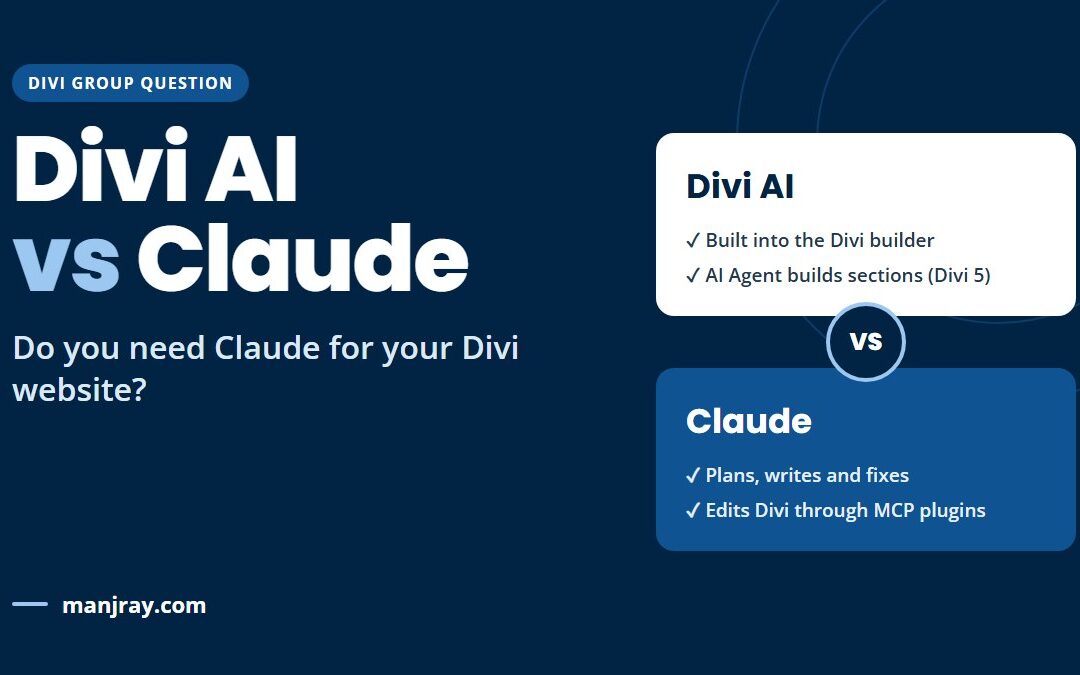
Quick answer: No, you don’t need Claude to build a Divi website, and you don’t need Divi AI either. They overlap but aren’t the same. Divi AI lives inside the Divi builder and, in Divi 5, has an AI Agent that can build and edit sections for you. Claude is a general-purpose assistant that’s stronger at planning, writing a lot of content and fixing problems, but on its own it can’t touch your site. It only becomes a “Divi tool” when you connect it, usually with an MCP plugin. If you just want help inside the builder, start with Divi AI or nothing. If you want help with the whole project, look at Claude.
I’m a WordPress and Divi developer and build and fix Divi sites for clients. Facts and prices below were checked in November 2026.
Disclosure: this post contains affiliate links. If you buy through them you pay nothing extra, but I may earn a small commission. I’m not connected to any of the AI plugins mentioned.
Divi AI vs Claude: what the Divi community said
The thread got 13 replies. Grouped together, they say a lot:
| What people said | Replies | The point |
|---|
| “I use Claude on my Divi sites and love it” | 6 | Building whole sites, creating pages, fixing issues they’d normally pay someone for |
| “I use ChatGPT instead” | 3 | One let ChatGPT’s agent log in and click around. Another used it to find speed problems |
| “Divi AI isn’t that great” | 2 | One tried Divi AI with Claude writing the content, didn’t like the result, and switched to Claude alone |
| Other tools / opinions | 2 | A mockup tool first, then built in Local WP. And one “are you just too lazy?” |
Three things stood out:
- Nobody said “you need Claude”. Even the biggest Claude fans described it as a choice. One member put it well: they use Claude, but didn’t get a Claude account just for Divi.
- How you connect the AI matters more than which AI you pick. People got good results through very different routes: an MCP plugin, a browser agent, WP-CLI, or importing JSON layouts. I cover each one below.
- Divi AI got little love, but most of those opinions are about the older, text-and-image Divi AI. The Divi 5 AI Agent is newer and does a lot more, so it’s worth a second look if you tried Divi AI a year ago.
What Divi AI does in 2026
Divi AI is Elegant Themes’ own AI, built into the Divi builder. It now comes in two parts:
- Divi AI (writing, images and code). Write or rewrite text in a module, generate and edit images, and write custom CSS or code. Works in Divi 4 (4.22+) and Divi 5.
- The Divi AI Agent (Divi 5 only). A chat panel in the Visual Builder that does real work: it adds modules, changes settings, builds whole sections, can build a page from a screenshot or URL, and can create pages and manage menus. It has an Ask mode (answers only) and a Build mode (makes changes).
The big advantage: it already knows Divi. There’s nothing to connect, no plugin to install, and changes appear right in the builder where you can see them.
The limits: it works inside the builder, one page at a time, and it’s not a strategy partner. It won’t plan your site structure, research keywords or write 20 service pages in your voice as well as a general assistant will.
Cost: Divi AI isn’t included in a basic Divi membership ($89/year). You can buy it on its own for $193/year (monthly billing is also available), or get it in Divi Pro for $277/year, which includes Divi itself. Text, image, code and layout generation is unlimited. The AI Agent is metered: you get a $5 monthly balance ($60 a year) that resets on your renewal date and doesn’t roll over, and heavier use is paid from an AI Wallet you top up. You can try Divi AI’s builder tools free for 100 uses (the Agent isn’t part of the trial). Prices checked November 2026; see Elegant Themes’ pricing page for current prices.
What Claude does for a Divi site
Claude (from Anthropic) is a general AI assistant, like ChatGPT. On its own, in a normal chat, it’s very good at:
- Planning a site: pages, structure, what each page should say
- Writing a lot of content in a consistent voice, if you teach it about your business first
- SEO: titles, meta descriptions, headings, FAQ sections
- Fixing problems: explaining an error, writing CSS or PHP, finding why something is slow
But in a normal chat it can’t see or change your website. You copy and paste between the chat and Divi. That’s fine for a few paragraphs and tedious for a whole site.
It starts to feel like a Divi tool when you connect it to your site. Most of the “I love Claude” replies in the thread came from people who had done exactly that.
Want to set it up yourself? Here’s my step-by-step guide on how to connect Claude Code to WordPress, with images for every step.
Divi AI vs Claude at a glance
| | Divi AI | Claude |
|---|
| Where it works | Inside the Divi builder | In a chat app. Connects to your site only if you set it up |
| Knows Divi | Yes, built in | Knows about Divi. Needs a connector to edit Divi layouts properly |
| Builds sections and pages | Yes, with the AI Agent (Divi 5) | Yes, through an MCP plugin, browser agent or layout import |
| Plans a whole site | Limited | Strong |
| Writes lots of content | One module or page at a time | Strong, especially once it knows your business |
| Fixes code and site problems | Writes CSS and code snippets | Strong, and can run tools if connected |
| Setup | None | None for chat. A plugin or tool to connect it to your site |
| Divi version | Agent needs Divi 5 | Chat works with any. Most Divi plugins for it need Divi 5 |
| Cost | $193/year on its own, or in Divi Pro ($277/year). Agent: $5/month balance, then top-ups | Free plan (includes connectors). Pro is $20/month, or $17/month billed yearly |
5 ways Divi users connect AI to their site (from the thread)
This is the most useful part of the discussion. Here are the routes people actually used, from easiest to most technical.
1. Copy and paste
Difficulty: easy · Risk: none
Ask Claude or ChatGPT for the text, paste it into Divi modules yourself. One member had Claude write the content and Divi AI build the layout. Slow for big sites, but you stay in full control and nothing can break.
2. Let a browser agent click through wp-admin
Difficulty: easy · Risk: medium
One member just opened ChatGPT, logged in during the chat, and let it do the work. No Divi AI, no plugin. Agent modes in ChatGPT and Claude can drive a browser (with Claude, that’s Claude in Chrome, which needs a paid plan). It works, but it’s slower, it can misclick, and you’re giving an AI your login. Use a separate user with limited permissions, and try it on a staging copy first.
3. Connect Claude to Divi with an MCP plugin
Difficulty: medium · Risk: low to medium
MCP (Model Context Protocol) is a standard way for an AI assistant to talk to your site directly instead of clicking through screens. Plugins mentioned in the thread:
- JHMG AI Editor for Divi 5: free on WordPress.org, made for Divi 5. It checks every layout change before saving and keeps undo history. Its developer answered in the thread (and disclosed it), and another member said it’s “been great so far”.
- Novamira: gives Claude broad access to WordPress, including PHP, files and the database. One member said it gave them “the best experience” and a complete site. That power is also the risk: Novamira itself says it’s meant for development and staging sites.
This is the route most of the happy Claude users took. It’s faster than a browser agent and the plugin can stop broken layouts from being saved.
4. Generate layouts as JSON and import them
Difficulty: medium · Risk: low
The most detailed story in the thread: a member tried Divi AI six months ago and didn’t like it. Two months ago they asked Claude to create the whole site without Divi AI. Claude produced every page, section, layout and link as Divi .json files to import. They had “educated Claude intensively” about themselves, their non-profit and their book first, and ended up editing only about 10% of the text. That last part is the real lesson: the AI is only as good as the brief you give it.
5. WP-CLI, database dumps and Git (for developers)
Difficulty: hard · Risk: low if done right
One member taught Claude to use WP-CLI on their Divi sites. Claude dumps the database after every change and the code is in Git, so every change can be undone. This is how I’d run it on client sites, but it needs server access and some comfort with the command line.
Before you let any AI edit your site
- Work on a staging copy first, not your live site.
- Make a full backup before every AI session.
- Use a separate WordPress user for the AI, with only the permissions it needs. Never give it your main admin password.
- Check every page on desktop and phone afterwards. AI-built layouts often look fine on desktop and break on mobile.
- Read the content. AI gets facts, prices and phone numbers wrong with total confidence.
“Isn’t this just being lazy?”
One reply asked exactly that. It’s a fair challenge, and the answer is in another reply: a member has Claude build with Divi so they can still edit the site themselves later.
That’s the right way to think about it. Using AI to do the repetitive parts (laying out 15 similar pages, writing first drafts, finding a CSS fix) isn’t lazy, it’s what you’d pay a junior developer for. But you still need to know what a good page looks like, check what the AI did, and be able to fix it. Building in Divi rather than letting AI write a custom-coded site keeps the site editable by you, and by anyone you hire later.
Divi AI vs Claude: which should you use?
Divi AI is enough
- You’re on Divi 5 and want help inside the builder
- You need text tweaks, images or a few new sections
- You don’t want to set anything up
- You already have Divi Pro
Add Claude
- You’re planning or rebuilding a whole site
- You need a lot of content in your voice
- You want help with SEO, speed or code problems
- You’re happy to install an MCP plugin (on staging first)
You don’t need either
- Your site is small and already works
- You only change a few things a year
- You’d rather pay someone than learn a new tool
If you’re still on Divi 4, note that the Divi AI Agent and most Claude-for-Divi plugins need Divi 5. My Divi 5 vs Divi 4 guide explains how to upgrade safely first.
Do you need to pay for both?
No. Pick based on where you spend your time:
- Most of your time in the builder? Divi AI (or Divi Pro) is the simpler choice.
- Most of your time planning, writing and fixing? Claude on its Free or Pro plan, plus a free MCP plugin, covers it.
- Already pay for ChatGPT? Several members use it for the same jobs. The connection method matters more than the brand.
Some people use both: Claude for planning and content, Divi AI for quick edits in the builder. That works, but start with one and add the other only if you hit a real limit.
Want AI speed without the risk?
I build and fix Divi sites for clients, using AI where it helps and checking every page by hand. I can also set up Claude or Divi AI on a staging copy of your site, so you can use it safely yourself.
Get a free quote →
Frequently asked questions
Do I need Claude AI to build a Divi website?
No. You can build a Divi website with no AI at all, with Divi AI, or with another assistant such as ChatGPT. Claude is helpful for planning, writing content and fixing problems, but it isn’t required.
Is Divi AI the same as Claude?
No. Divi AI is built into the Divi builder and knows Divi, and in Divi 5 its AI Agent can build and edit sections. Claude is a general-purpose assistant that is stronger at planning and writing, but it can only edit your site if you connect it, for example with an MCP plugin.
Can Claude edit my Divi site directly?
Yes, if you connect it. The usual way is an MCP plugin such as JHMG AI Editor for Divi 5 or Novamira. Claude can also drive a browser and click through wp-admin, or generate Divi layouts as JSON files for you to import.
Is Divi AI included with Divi?
No. Divi AI is a separate subscription ($193/year in November 2026) or part of Divi Pro ($277/year, which includes Divi). Each subscription includes a $5 monthly balance for the Divi AI Agent, which does not roll over.
Does the Divi AI Agent work in Divi 4?
No. The Divi AI Agent needs Divi 5. Divi AI’s text, image and code tools work in Divi 4.22 and later.
Is it safe to let AI edit my WordPress site?
It can be, if you work on a staging copy, make a backup first, give the AI its own user with limited permissions, and check every page afterwards. Don’t let any AI edit a live store during a busy sales period.
Final verdict
In the Divi AI vs Claude debate, the two aren’t rivals so much as different tools. Divi AI is the easy option inside the builder, and the Divi 5 AI Agent makes it much more capable than it was. Claude is the better partner for the whole project: planning, content, SEO and fixes, and with an MCP plugin it can build Divi pages too.
The Divi community’s experience points the same way: the people happiest with AI were the ones who connected it properly, taught it about their business, and kept checking its work.
Don’t have Divi yet? New sites start on Divi 5, so you can try the AI Agent straight away. If you’re buying this month, wait for the Divi Black Friday sale: it’s the cheapest time of year to get Divi and Divi AI.
Get Divi from Elegant Themes →
Do you use Divi AI, Claude or ChatGPT on your Divi site? Tell me what worked in the comments.
by Manjay Ray | Nov 6, 2026 | Divi
Your Divi dashboard has been showing an “Enable Divi 5 Updates” button for months. Everyone says Divi 5 is faster and better. But your site works fine today, you have paying customers, and you’ve heard stories about layouts breaking after the upgrade.
So should you click it?
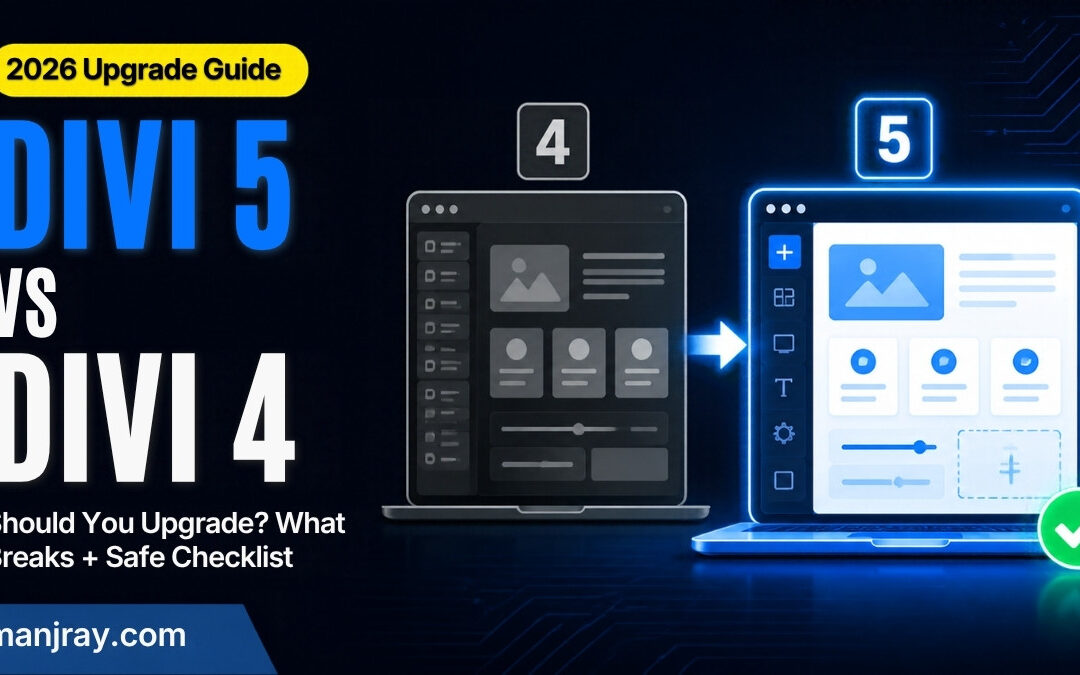
Quick answer: Divi 5 has been the stable version since February 26, 2026, it’s a free update for anyone with an active Elegant Themes membership, and for most sites it’s worth upgrading now, on a staging copy first. Wait if your site depends on third-party Divi modules that aren’t Divi 5-ready yet. Divi 4 still gets security fixes, but Elegant Themes only promises that for at least 12 months after Divi 5’s release, so “never” isn’t an option.
I’m a WordPress and Divi developer and build and fix Divi sites for clients. This post is based on Elegant Themes’ own documentation (checked November 2026) and my own experience. There’s an offer at the end if you’d rather have someone do the upgrade for you.
Disclosure: this post contains affiliate links. If you buy through them you pay nothing extra, but I may earn a small commission.
Divi 5 vs Divi 4 at a glance
| | Divi 4 | Divi 5 |
|---|
| Status (Nov 2026) | Security and critical fixes only. No new features | Stable since 26 Feb 2026. New features added regularly |
| How layouts are saved | Shortcodes inside the post content | A new storage format (no Divi shortcodes) |
| Layout tools | Rows and columns | Flexbox, CSS Grid and nested modules |
| Reusing styles | Global presets, Extend Styles | Design variables, option group presets, stacked presets |
| Responsive design | 3 fixed views (desktop, tablet, phone) | Customizable breakpoints |
| Dynamic content | Dynamic content, but no loop builder (needs a plugin) | Built-in Loop Builder |
| Third-party modules | Everything works | Updated modules work. Old ones run in “backward compatibility mode” |
| Price | Included in membership | Free update with an active membership |
What actually changed in Divi 5 (in plain English)
Divi 5 isn’t a redesign of the builder you already know. It’s a rebuild of the engine underneath it. Here’s what that means for you as a site owner.
1. No more Divi shortcodes
Divi 4 saved every layout as a long string of [et_pb_section] shortcodes inside your post content. That’s why switching away from Divi 4 left a mess of brackets on every page. Divi 5 stores layouts in a new format instead. Shortcodes from other plugins (contact forms, galleries and so on) still work as before.
2. Modern layout tools
Divi 5 adds Flexbox and CSS Grid layouts and lets you nest modules inside each other. In Divi 4, a lot of layouts needed custom CSS or an extra plugin. In Divi 5 you can build them in the builder.
3. Design variables and better presets
You can save your brand colors, fonts and sizes as design variables and use them everywhere. Change the variable once and the whole site updates. Presets now work per option group (for example, just the button styles) and can be stacked. “Extend Styles” and “Quick Actions” from Divi 4 are gone.
4. Custom responsive breakpoints
Divi 4 gave you desktop, tablet and phone, and that was it. Divi 5 lets you set your own breakpoints, which helps on large screens and small laptops where Divi 4 layouts often looked slightly off.
5. Loop Builder
You can now build custom lists of posts, products or custom post types right in the builder. In Divi 4, this usually meant buying a third-party plugin.
Is Divi 5 faster?
Elegant Themes says Divi 5 is “faster, more stable, and more reliable than Divi 4”. The builder itself feels noticeably quicker to edit in. But I couldn’t find any official before-and-after speed numbers for live pages, so treat big percentage claims you see elsewhere with care.
There’s one important catch: if a page has even one old Divi 4 module that hasn’t been updated, Divi 5 loads the whole Divi 4 framework on that page. Elegant Themes says to expect “a small performance cost” on those pages. So your speed gain depends on how many of your third-party modules have been updated.
Speed also depends a lot on hosting and caching. If your Divi site is slow today, fixing those will often make a bigger difference than the upgrade. See my Hostinger Cloud Hosting review for what I recommend for Divi sites.
What breaks when you upgrade to Divi 5
Core Divi modules convert cleanly in most cases. The problems almost always come from things added on top of Divi.
The usual suspects
- Third-party Divi modules. Plugins that add their own modules had to be rebuilt for Divi 5. If they haven’t been, those modules run in backward compatibility mode. They still work, but the page loads the old Divi 4 framework and you lose some of the speed gain. Some field types also can’t be edited yet.
- Child themes and custom code. Elegant Themes says custom CSS, child themes and custom code “should continue to work”, but code that relies on Divi 4 internals may need changes. Custom CSS that targets Divi 4 class names is the most common thing to check. If you added things like a custom CTA button in the Divi header or Font Awesome icons with code, test those first.
- Pages you open before migrating. If you open a page in the Divi 5 builder before running the migrator, it’s converted straight away, and that page can’t be rolled back with the migrator.
When you open the site after upgrading, you may see a “Backward Compatibility Mode Enabled” notice or orange warning icons. That isn’t an error. It’s Divi telling you which pages still use old modules.
How long will Divi 4 be supported?
This is the question most people actually want answered. In its migration guide (September 2026), Elegant Themes says Divi 4:
- still gets security patches and critical bug fixes, but no new features;
- will be fully supported for at least 12 months after Divi 5’s release on February 26, 2026, so until at least late February 2027;
- “will eventually reach end-of-life”, with the date tied to Divi 5 becoming fully stable.
An earlier announcement (January 2026) said “at least six months”, so the window has already been extended once. Either way, staying on Divi 4 is fine for now, but it’s a short-term choice. Plan your upgrade in the next few months rather than waiting for the end-of-life email.
Should you upgrade? My recommendation
Upgrade now
- You mostly use Divi’s own modules
- Your Divi plugins say “Compatible with Divi 5”
- You’re building a new site (start on Divi 5)
- You want design variables, Grid or Loop Builder
Upgrade soon, test first
- You use a few third-party Divi modules
- You have a child theme with custom code
- It’s a WooCommerce store (test checkout!)
Wait a little
- A key Divi plugin has no Divi 5 version yet
- It’s your busiest season (Black Friday, a launch)
- You can’t make a staging copy right now
If you run an online store, don’t upgrade in late November or December. Do it in a quiet week, after Black Friday.
How to upgrade from Divi 4 to Divi 5 safely (checklist)
This follows Elegant Themes’ official process, plus a few steps I add on client sites.
- Make a full backup: database, uploads, themes and plugins. Your host’s backup tool or a plugin like UpdraftPlus is fine. Download a copy off the server.
- Create a staging site. Most hosts (including Hostinger) can make one in a few clicks. Do every step below on staging first.
- Update everything. WordPress, all plugins, and Divi itself. You need Divi 4.27.6 or later to see the Divi 5 update.
- Check your Divi plugins. Look for “Compatibility with Divi 5” on each Marketplace product page, or ask the developer. Write down any that aren’t ready.
- Don’t open any pages in the builder yet. Opening a page in Divi 5 before migrating converts it with no rollback.
- Enable Divi 5: Divi → Dashboard → Enable Divi 5 Updates, then update the theme.
- Run the Divi 5 Migrator (Divi → Divi 5 Migrator). It scans your pages, posts, Theme Builder templates, products, library items and presets, and flags anything that will use backward compatibility mode. Then click Migrate This Site to Divi 5. It usually takes seconds to a couple of minutes.
- Test properly. Click through every template type on desktop and phone: home, a page, a blog post, the blog archive, forms, menus, the footer. For stores: add to cart, checkout and a test payment.
- Compare speed before and after in PageSpeed Insights, so you know what you gained.
- Repeat on the live site once staging looks right, at a quiet time of day, with a fresh backup.
Can you roll back to Divi 4?
Yes, with limits. The migrator saves a copy of your Divi 4 content before converting anything, and you can click Restore Divi 4 Content in the migrator and then reinstall Divi 4.
But Elegant Themes calls it “a one-way update”. Rolling back is easiest right after migrating. The more you edit in Divi 5, the harder a clean rollback gets, and anything you edit in Divi 5 after migrating won’t come back with you. That’s why the full backup in step 1 matters more than the built-in restore.
Don’t want to risk it on your live site?
I’ll upgrade your Divi 4 site to Divi 5 on a staging copy, fix anything that breaks (third-party modules, child theme code, custom CSS), test every page and checkout, and only then put it live. Your site stays online the whole time.
Get a free upgrade quote →
Frequently asked questions
Is Divi 5 free?
Yes. Divi 5 is a free update for anyone with an active Elegant Themes membership.
Is Divi 5 stable enough for a live site?
Yes. Divi 5 has been the official stable version since February 26, 2026. Elegant Themes still recommends testing the upgrade on a staging site first, and so do I.
How long will Divi 4 be supported?
Elegant Themes says Divi 4 will be fully supported for at least 12 months after Divi 5’s release on February 26, 2026. It gets security and critical fixes only, with no new features.
Will my third-party Divi modules still work in Divi 5?
Usually, yes. Modules that haven’t been updated run in backward compatibility mode. They keep working, but pages that use them load the old Divi 4 framework and are a little slower.
Will my child theme work with Divi 5?
In most cases, yes. Custom CSS, child themes and custom code should keep working, but code that depends on Divi 4 internals may need adjusting.
Can I go back to Divi 4 after upgrading?
Yes. The Divi 5 Migrator saves your Divi 4 content and has a Restore Divi 4 Content option. Rolling back gets harder the more you edit in Divi 5, so keep a full backup too.
Final verdict
Divi 5 is the future of Divi, and Divi 4 is now on a countdown. For most sites, the right move is to upgrade in the next few months, on staging first, after checking your third-party Divi plugins. If a key plugin isn’t ready, or it’s your busiest season, wait a few weeks, but don’t wait for the end-of-life notice.
One more reason to upgrade: the new Divi AI Agent, which builds and edits sections from a chat, only works in Divi 5. Not sure whether you need it, or an assistant like Claude? See my Divi AI vs Claude comparison.
Don’t have Divi yet? New sites start on Divi 5 straight away, so there’s nothing to migrate. If you’re buying this month, read my Divi Black Friday 2026 guide first.
Get Divi from Elegant Themes →
Have a question about your own site? Ask in the comments and I’ll reply.

by Manjay Ray | Dec 28, 2021 | Divi
If you have already set up your website menu, follow the following steps to create a button for any link in the menu!
1. Add custom class to the menu item
Go to WordPress Dashboard > click on Appearance > click on menu > now select your menu > now add custom class “contact-btn”.
Go to Divi setting > click on theme option > click on Custom CSS field > now add following CSS code
@media only screen and (min-width: 981px){
.contact-btn a {
background-color: #ffffff;
border-radius: 50px;
color: #001b40 !important;
padding: .05em 1.5em 0em 1.5em!important;
height: 45px!important;
}
.contact-btn{
align-items: center!important;
margin-top: -.5em!important;
}
.contact-btn a:hover{
background-color: #001b40 !important;
color: #ffffff !important;
opacity:1 !important;
}
}


Recent Comments